
Payment methods named by NBI
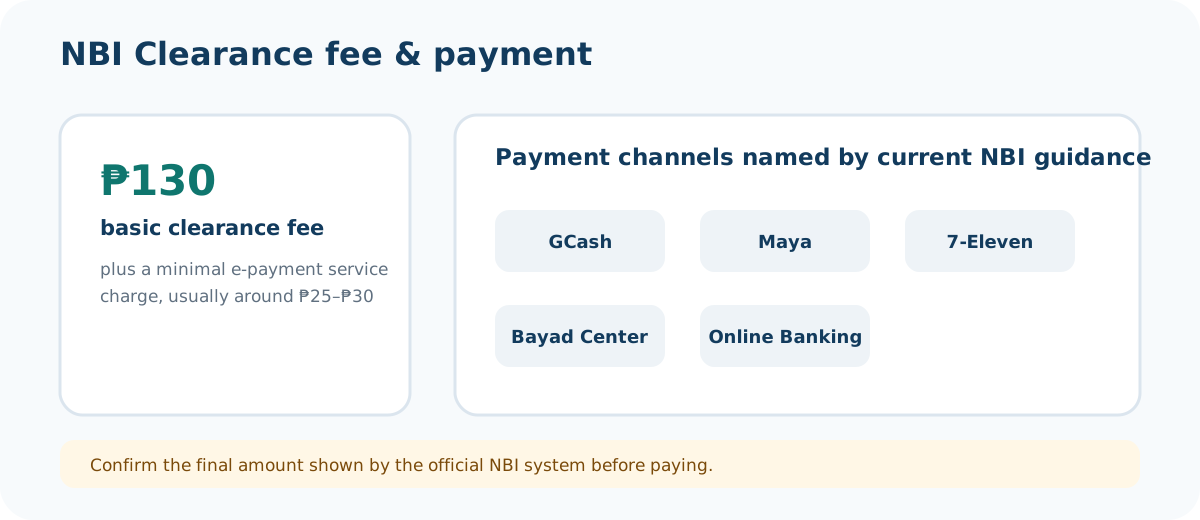
The current NBI how-to page names GCash, Maya, 7-Eleven, Bayad Center and Online Banking as payment choices. Availability can change in the live portal, so use the options displayed for your own transaction.
Reference number: save it before paying
Once you select the payment route, the NBI system generates a reference number. NBI describes this as a code you should copy, screenshot or print because it connects the transaction to your payment and branch visit.
After payment
Wait until the portal shows the correct transaction status. Keep the receipt. If the payment does not reflect, confirm the reference number and transaction first instead of immediately paying again.
Payment safety checklist
- Start from your own application on the official NBI domain.
- Use the reference number generated by that transaction.
- Choose a payment method offered by the live NBI system.
- Save your receipt.
- Return to the official portal to check payment status.
- Do not send payment to a private person, social-media account or “agent.”
This sequence protects you from two common problems: paying the wrong reference number and paying an unofficial person who cannot update your NBI transaction.
Payment FAQs
Which payment methods does NBI list?
The current NBI how-to guide names GCash, Maya, 7-Eleven, Bayad Center and Online Banking.
Do I need the reference number before paying?
Yes. The NBI guidance describes the system-generated reference number as the code used for payment and branch processing.
What if the payment is still pending?
Keep the receipt, verify the reference number and do not immediately pay again. Use official support if the status remains unresolved.