
What NBI officially announced
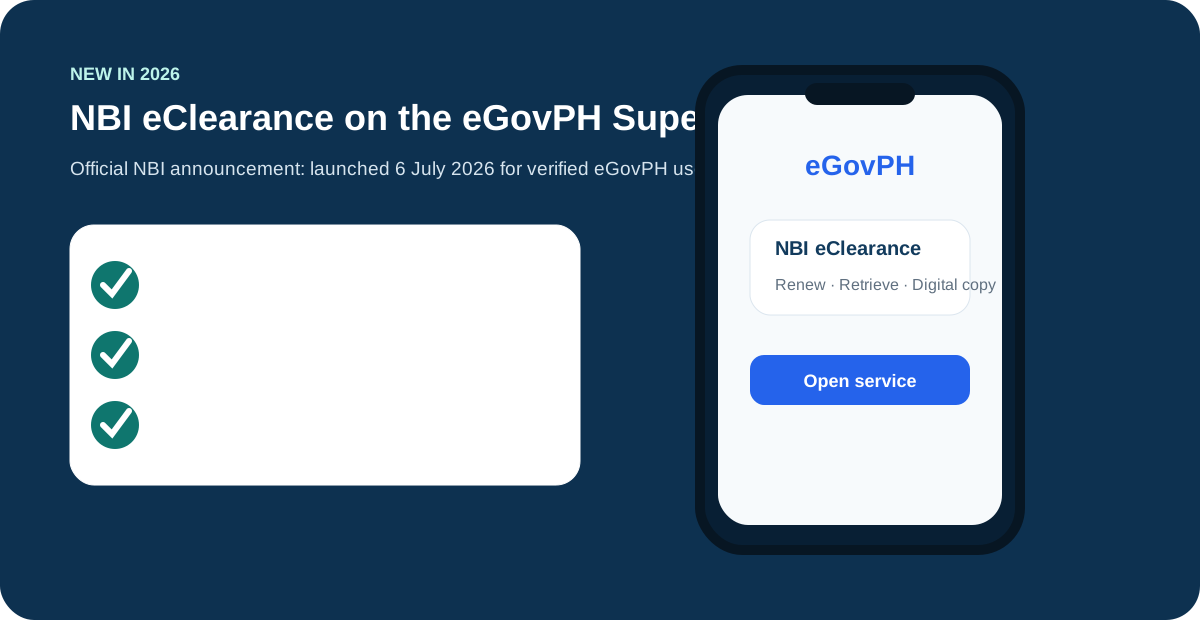
The official NBI launch statement says verified eGovPH users can access NBI Clearance services through a secure interoperable platform. It specifically mentions the ability to retrieve, renew and access a digital copy of NBI Clearance.
That is the full extent of what is officially documented. The announcement confirms the service exists, who it is for in broad terms (verified users), and what it can do (retrieve, renew, digital copy). It does not publish a step-by-step manual, a separate fee table, or a list of every edge case — so the rest of this guide separates confirmed facts from practical, hedged advice.
What the eGovPH Super App is
eGovPH is the government’s super app — one mobile application that brings together services from different agencies, run under the Department of Information and Communications Technology (DICT). Instead of a separate app or website per agency, verified users access participating government services from a single verified account.
NBI Clearance became one of those services on 6 July 2026, when the NBI and DICT formally launched eClearance on the platform. For applicants, the practical meaning is simple: part of the NBI Clearance experience — especially renewal — can now happen inside an app you may already use for other government transactions.
Who can use NBI eClearance
The announcement describes the service for verified eGovPH users. “Verified” is doing real work in that sentence — it is the gate between the marketing claim and your actual experience.
Verified eGovPH users
You need a verified eGovPH account, which means completing the app’s identity verification with the mobile number and details you control. Keep that number active: verification codes, account recovery, and service access all run through it. If you change numbers, update the account through the app’s official process rather than creating a second identity.
Renewal eligibility is not automatic
The launch language says eligible users may renew — not all users. Your record conditions matter. A previous clearance with a clean record is the straightforward case; records that need further verification (for example, a HIT status), very old clearances, or mismatched identity details may not get the one-tap renewal path. The app itself is the authority here: the options shown inside your verified account are your eligibility result.
How fast is renewal?
NBI says eligible users may renew in as little as five minutes through the app. That is an official launch claim, not a promise that every user or every record will complete in five minutes.
In practice, “as little as five minutes” describes the best case: a verified user, an eligible record, a working payment method, and no verification flags. Anything that needs human review — a record hit, a name discrepancy, a payment that does not reflect immediately — takes longer by definition. Treat the five-minute figure as the ceiling of convenience, not the floor of your planning. If you need the clearance by a deadline, start early and use the NBI clearance renewal guide to compare routes.
eGovPH renewal vs the standard route
Both routes are official. They serve different situations, and picking the wrong one wastes time.
| eGovPH eClearance | Standard online route | |
|---|---|---|
| Who it fits | Verified app users with eligible existing records | Everyone, including first-time applicants — see the complete NBI clearance application |
| Branch visit | NBI describes reduced need for long lines for eligible renewal users | Normally required for biometrics and photo capture at an NBI branch |
| What you receive | Digital copy access for verified users, per the launch announcement | Typically a printed clearance claimed as instructed in your transaction |
| Fee | No separate eGovPH fee published in the announcement reviewed; confirm in-app — see the clearance fee guide | ₱130 basic fee plus the payment channel’s service charge |
| When to prefer it | Your record is eligible and you want the fastest renewal path | First application, ineligible records, or when an institution wants a printed copy |
The digital copy: what to know
What the digital copy is
NBI says verified users can access a digital copy of their NBI Clearance through the app. That is an official capability from the launch announcement — not a screenshot workaround, and not a third-party “digital clearance” product. Before you rely on it for anything important, open it inside the app and check the name, dates, and visible details for accuracy.
Where a digital copy may not be enough
Not every receiving party treats a digital copy the same as a printed clearance. Employers, embassies, and licensing bodies each have their own requirements, and some still ask for the physical document. Where a receiving employer or institution needs a particular form of clearance, confirm what that institution accepts before you rely on the digital version. A five-minute confirmation call beats a rejected application.
What we do not assume
The NBI launch announcement does not document every app-screen edge case, fee combination or error message. Our site labels those details as app observations unless they are explicitly documented by NBI or DICT.
Concretely: we do not claim to know every button label in the app (screens change with updates), we do not publish a separate eGovPH fee (none was in the announcement we reviewed), and we do not promise that any specific record will qualify for in-app renewal. When this guide says “usually” or “typically,” that is deliberate — it marks the boundary between confirmed fact and practical guidance.
Check eligibility inside your verified account
The NBI announcement confirms retrieval, renewal and digital-copy capabilities for verified eGovPH users. It does not say that every person or every old clearance receives identical options. Treat the choices shown inside your verified account as the current eligibility result.
| If the app shows | What to do |
|---|---|
| A renewal option | Review identity details, fee and delivery or pickup choice before paying. |
| A digital clearance | Check the name, dates and visible details before relying on it. |
| No eligible record | Use the standard official NBI route rather than another person’s account. |
| Pending payment | Keep the receipt and avoid paying twice while it is unresolved. |
Account and phone safety
Install eGovPH only through an official app-store listing linked by government channels. Keep control of the mobile number used for verification and never share an OTP. App screens can change, so this guide focuses on decisions and safety checks rather than claiming every button label is permanent.
Install from official stores only
Search the app store yourself rather than tapping an install link from social media, chat groups, or SMS. Check the developer name and reviews before installing — a fake government app is one of the cheapest scams to run and one of the most expensive to fall for.
Protect your OTP and mobile number
Verification codes are the keys to your government-service account. Never read an OTP to a caller, even one claiming to be from the NBI or DICT — real agencies do not ask for your codes. If OTP messages are not arriving, fix the delivery problem through official channels instead of handing the number to a “helper.”
If you change your mobile number
Update the number inside the app through its official account process while you still have access to the old one. Losing the verified number without updating it can lock you out of the very services the app was supposed to make convenient — including the NBI clearance login tied to it.
eGovPH FAQs
When did NBI eClearance launch on eGovPH?
The NBI and DICT formally launched it on 6 July 2026.
Can every user renew in five minutes?
No. NBI says eligible users may renew in as little as five minutes; eligibility and record conditions still matter.
Is the digital copy officially supported?
Yes. The NBI launch announcement explicitly mentions access to a digital copy for verified users.
Do I still need to visit an NBI branch if I use eGovPH?
For eligible renewal users, NBI describes the app route as reducing the need for long lines. First-time applicants and records that need verification still follow the standard route with a branch visit.
Can first-time applicants use NBI eClearance?
The launch announcement centers on retrieval, renewal, and digital-copy access for verified users. First-time applicants should follow the standard NBI clearance application route.
What if the app does not show my previous clearance?
Treat the options inside your verified account as the current result and use the standard official NBI route instead. Never use another person’s account to work around it.
Does renewal through eGovPH cost the same?
The launch announcement reviewed does not publish a separate eGovPH fee. Expect the standard fee structure and confirm the exact amount inside the app before paying — see the clearance fee guide.
Can I use eGovPH for NBI Clearance while abroad?
The announcement does not detail abroad access for the app route. Applicants outside the Philippines should check the NBI clearance abroad guide for the appropriate process.
What if my digital copy shows wrong details?
Do not rely on a digital copy with errors. Resolve the discrepancy through official NBI channels before submitting the clearance to an employer or institution.