
Quick answer
What “not qualified” means
The message means that the online renewal route you attempted is not available for that transaction. It does not necessarily mean that you can never obtain a new NBI Clearance. The official system may require a different route based on the previous record, changed personal details, current account eligibility or location.
This independent guide cannot see the account-specific reason. Use the live portal rather than trying to force a result from an old screenshot or tutorial.
What the message does not mean
It does not necessarily mean that anything is wrong with your record, and it does not by itself explain the specific account reason. Treat the message as a routing signal — the system telling you this particular door is closed — not as a verdict on your history. Many applicants who see it go on to get a clearance through another official route.
Check the live portal, not an old tutorial
Renewal availability depends on the current official system, which changes over time. An old screenshot or tutorial may show a renewal button that your account is simply not offered today. Always go by what the live portal shows for your verified account, and re-check if significant time has passed since you last looked.
Compare the available NBI Clearance routes
| Route | When to check it |
|---|---|
| Online renewal | Use it only when the official portal offers it for the existing record and details. |
| eGovPH eClearance | Check the eGovPH eClearance guide if the service is available to your verified account. |
| Standard/new application | Use the complete application guide when the system requires a normal application and branch process. |
| Applying from abroad | Follow the separate NBI Clearance abroad guide and official mailed-clearance instructions. |
How to choose between the routes
Do not pick a route because a tutorial recommends it — pick the route the system actually offers your verified account right now. If the portal offers online renewal, use it. If it does not, check whether eGovPH eClearance is available to you; if neither digital route is offered, the standard application is the fallback. Each route is official, but they are not interchangeable.
Information to check
Before deciding your next step, review the information below. In most cases, one of these explains why the renewal route was not offered.
| Check | What to look at | Why it matters |
|---|---|---|
| Previous clearance details | The exact name, birth date and details attached to the old record | Renewal eligibility is checked against the previous record |
| Changed personal details | Name, civil status, address or other record information that changed | Changed details can move you to a different route |
| Issue date and record information | The dates and record data printed on the previous clearance | The system considers the previous record and its information |
| What the portal currently offers | The renewal choice in the live official portal or verified eGovPH account | Only the live system shows the routes actually available to you |
| System direction | Any message directing you to a standard application or branch visit | The system’s direction tells you which route to follow |
Prepare the documents for the route shown by the system. The NBI Clearance requirements guide separates standard, First-Time Job Seeker and overseas needs.
If your personal details changed
Do not edit truthful information merely to make the record look eligible. A changed name, civil status, address or other identity detail may require a route that allows current information to be checked. Follow the live official instructions and use a branch process if the system directs you there.
The broader NBI Clearance renewal guide explains the renewal routes and the importance of changed details.
Changes that commonly affect the route
Name changes (for example after marriage), civil status updates, a new address, or corrections to birth details are the kinds of changes that can move an application off the online renewal path. The system needs to verify current information, and some changes can only be checked through a process that includes a branch visit.
Why honest details matter
Entering altered or “adjusted” information to trigger the renewal option can create inconsistencies across your records that are harder to fix than the original problem. If your details genuinely changed, the correct move is the route designed for current information — even if it takes a branch visit — not the fastest-looking button.
When a standard application or branch visit may be needed
If online renewal is unavailable and no other official digital option is offered, the normal NBI Clearance application may be the appropriate next step. Complete the application through the official portal, follow the current payment and scheduling flow, and bring the required documents to the selected branch.
Do not pay a fixer to “unlock” renewal eligibility. Only the official system and NBI can determine or change account-specific processing.
What the standard route involves
A standard application means registering or logging in on the official portal, completing the application and payment steps, scheduling a branch visit and bringing the required documents on the day. The complete application guide covers each step, the appointment guide covers scheduling, and what to bring to your NBI appointment covers the packing list.
Do not pay anyone to “unlock” renewal
Only the official system and the NBI can determine or change account-specific processing. Anyone offering to qualify your account for a fee cannot deliver what they promise — at best you lose money, at worst you hand control of your personal account to a stranger. If you are unsure which route applies to you, the Help Center collects the official options in one place.
eGovPH eClearance as an alternative
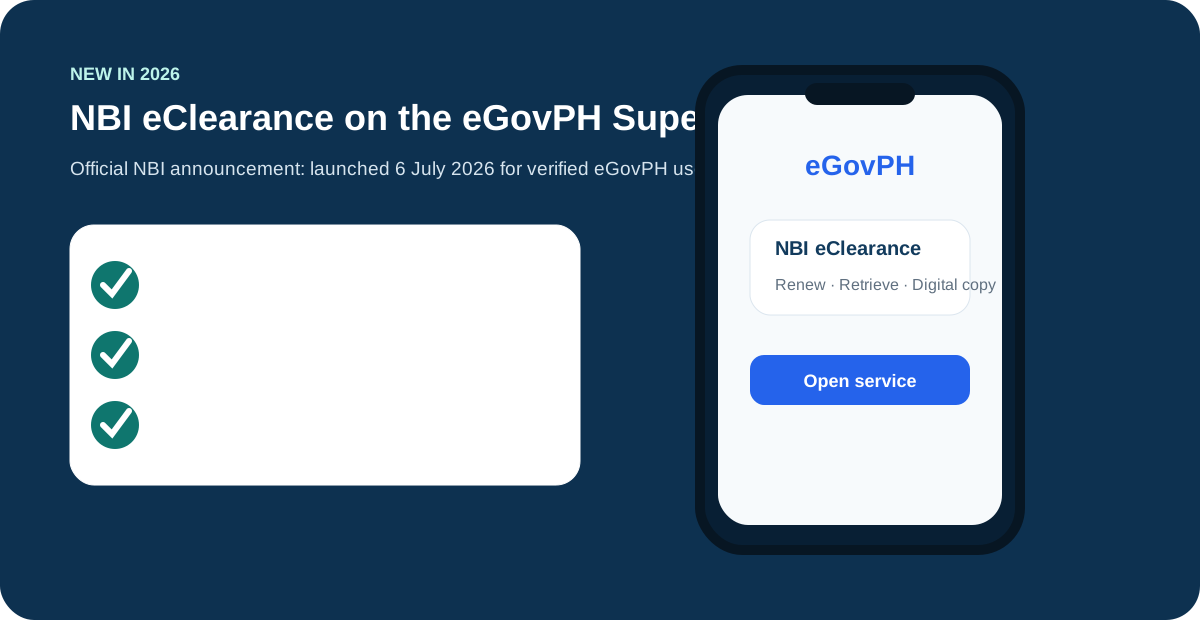
eGovPH eClearance is a separate official digital route — not another name for the portal’s online renewal. It has its own current account and record availability, so it may be offered even when portal renewal is not, or the other way around. If your verified eGovPH account shows the eClearance option, that is a legitimate route to use. Read the eGovPH eClearance guide for how that route works.
Do not treat the routes as interchangeable
Online renewal, eGovPH eClearance and the standard application are separate official options with their own availability. Use only the option actually offered to your verified account. Switching between routes at random — or entering different details to trigger one — does not help and can complicate your record.
What not to do
When the renewal button does not cooperate, the worst responses are the ones that create new problems. Avoid all of the following:
- Do not change identity details just to pass an eligibility check.
- Do not create misleading duplicate records.
- Do not pay an unofficial person to qualify the account.
- Do not assume eGovPH, online renewal and the standard application are interchangeable.
- Do not share passwords, OTPs, full IDs or account credentials with unofficial support.
Online renewal eligibility FAQs
Why does NBI online renewal say I am not qualified?
The renewal option depends on the record and the current official system. The message means that the attempted renewal route is not available for that transaction; it does not by itself explain the specific account reason.
Should I change my profile to qualify for online renewal?
No. Enter truthful information and do not change details merely to bypass eligibility controls. If personal information changed, follow the official route for the current record or a standard application.
Can I apply normally if online renewal is unavailable?
The standard NBI Clearance application may be the appropriate route when online renewal is unavailable. Use the current official portal and requirements, and follow any branch instructions shown for the new application.
Is eGovPH the same as the normal online renewal route?
No. eGovPH eClearance and the portal’s online renewal option are separate official routes with their own current account and record availability. Use only the option actually offered to your verified account.
Does "not qualified" mean something is wrong with my record?
Not necessarily. The message means the online renewal route is not available for that transaction. It may relate to the previous record, changed personal details, current account eligibility or location. This guide cannot see the account-specific reason.
I renewed online before. Why am I not qualified now?
Eligibility depends on the record and the current official system, which can change. Check whether your personal details changed and which routes the live portal currently offers for your account.
Should I keep retrying the online renewal option?
Follow the route the system actually offers. If online renewal is unavailable, check the other official routes — eGovPH eClearance, a standard application or the overseas process — instead of forcing the same option.